









PUBG Report
In the competitive world of PUBG: BATTLEGROUNDS, every kill and every death tells a story. Sometimes you wonder how a player managed to land that impossible headshot. Other times, you want to know if the person you just eliminated was a popular streamer with thousands of viewers. This is where PUBG Report comes into play.
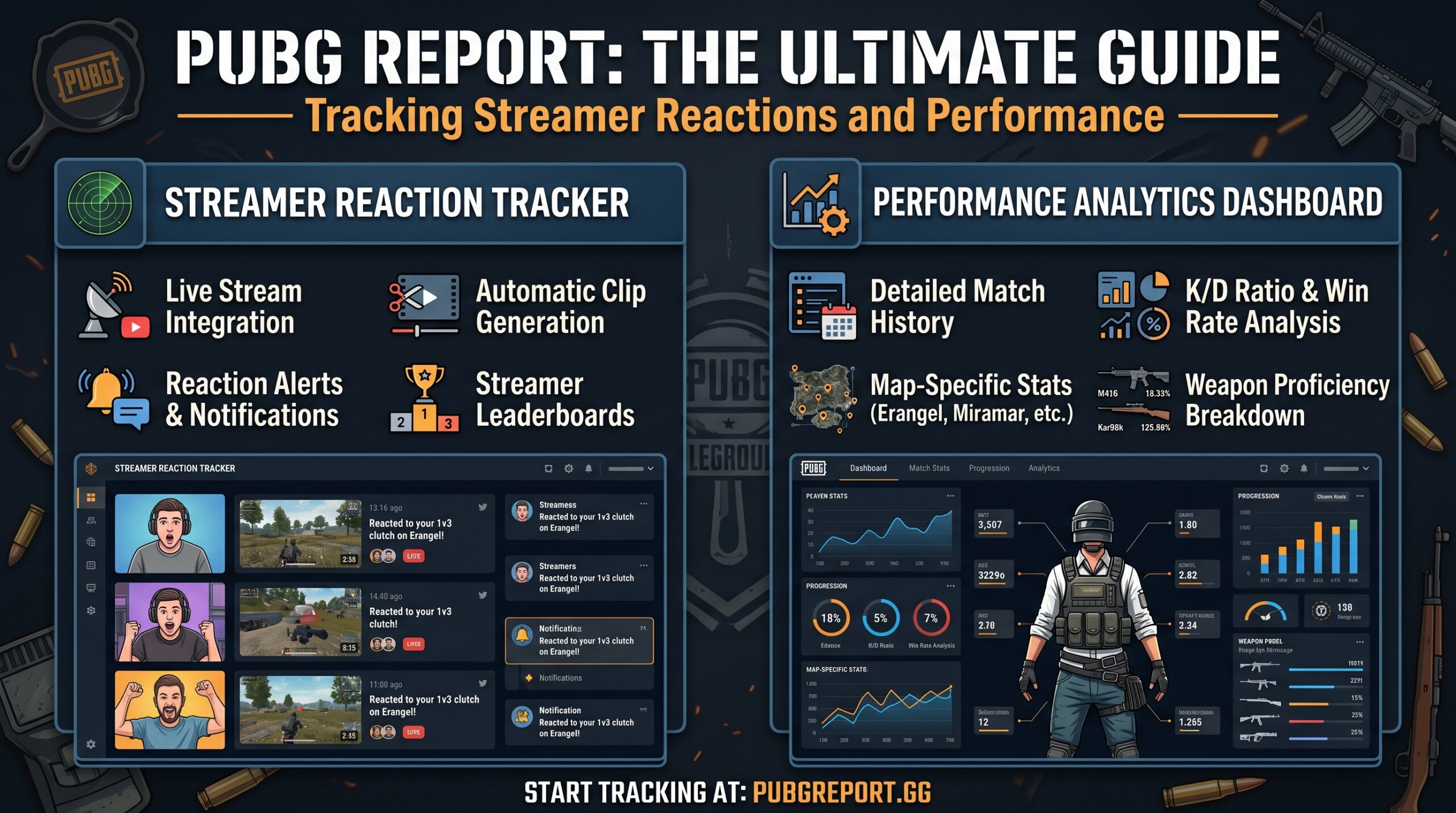
PUBG Report is a powerful third-party tool that bridges the gap between the game and the streaming world. It allows players to witness their most intense moments from a whole new perspective. Whether you are a casual player or an aspiring pro, understanding how to use this tool can transform your gaming experience.
What is PUBG Report?
PUBG Report is a web-based service and mobile application that utilizes the official PUBG API to track match data. Its primary function is to identify when a player interacts with a streamer during a match. If you kill a streamer—or if a streamer kills you—the website finds the exact moment in their Twitch VOD (Video on Demand) and provides you with a timestamped link.
This unique feature has made it a staple in the PUBG community. It turns a standard match into a social event, allowing players to see real-time reactions to their gameplay.
How Does PUBG Report Work?
The system operates by constantly scanning the match logs of active players. Here is the step-by-step process of how it captures your moments:
-
API Integration: The tool accesses the PUBG Developer API to gather raw match data.
-
Cross-Referencing: It compares the names in the kill feed against a database of known Twitch streamers.
-
VOD Linking: If a match is found, it locates the streamer’s archived video.
-
Timestamping: It calculates the exact second the interaction occurred so you can jump straight to the action.
Key Features of the PUBG Report Tool
Beyond just finding streamers, the platform offers several features designed to help players analyze their performance:
1. Streamer Reactions
The “bread and butter” of the site. You can search your in-game nickname to see a list of every time you appeared on someone’s stream. It’s a thrill to hear a streamer’s “salty” reaction or their genuine praise for a well-placed shot.
2. Comprehensive Match Statistics
While famous for its clips, the tool also provides deep-dive stats. You can see your rank in a specific match, the weapon used for the final kill, and the exact distance of the engagement.
3. “Death Replay” Insights
By watching the streamer’s perspective, you gain a free “death cam” that is often more accurate than the in-game version. You can see their positioning, how they spotted you, and what mistakes you might have made.
How to Use PUBG Report Effectively
Using the website is incredibly straightforward. Follow these steps to find your highlights:
-
Visit the Website: Go to pubg.report.
-
Enter Your Nickname: Type in your exact in-game name (case sensitive).
-
Select Your Platform: Choose between PC, Xbox, or PlayStation.
-
Browse Results: Click on any of the “Reactions” to be taken directly to the Twitch clip.
Pro Tip: Matches usually take a few minutes to appear after a game ends. If you don’t see your latest match, wait about 10 to 15 minutes and refresh.
Why Your Matches Might Not Show Up
Sometimes, you might participate in an epic battle and find nothing on the report. There are usually three main reasons for this:
-
VODs are Disabled: If the streamer does not have “Store Past Broadcasts” enabled on Twitch, there is no video for the tool to link to.
-
The 14-Day Limit: Due to API and Twitch storage limitations, data is typically only available for the last 14 days.
- Streamer Verification: If a streamer is very new or has a different in-game name than their Twitch handle, the tool might not have linked them yet.
Using Reports to Improve Your Gameplay
Competitive players use PUBG Report as a coaching tool. By analyzing how top-tier streamers move and react, you can learn:
-
Rotations: See which paths streamers take to enter the circle safely.
-
Looting Efficiency: Observe how quickly pros manage their inventory during high-pressure situations.
-
Communication: If the streamer is playing with a squad, listen to their callouts to improve your own team communication.
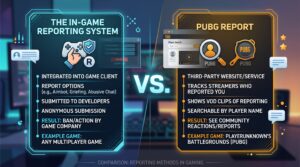
The In-Game Reporting System vs. PUBG Report
It is important to distinguish between the PUBG Report website and the in-game reporting feature.
-
In-Game Reporting: Used to flag cheaters, team killers, or toxic players. This goes directly to Krafton’s moderation team for potential bans.
PUBG Report (Website): A community tool for entertainment and analysis. It does not have the power to ban players; it simply displays public data.
The Impact on the PUBG Community
PUBG Report has fostered a unique culture within the game. It humanizes the opponents you face. Seeing that the “sweaty” player who killed you was actually a streamer interacting with their chat makes the loss feel less frustrating. It also creates opportunities for small streamers to gain new followers when players visit their channel to say “GG” after seeing a clip.
Conclusion: A Must-Have Tool for Every Survivor
Whether you want to laugh at a streamer’s reaction or get better at the game, PUBG Report is an essential part of the modern PUBG experience. It adds a layer of depth and entertainment that few other battle royales offer.
Next time you secure a difficult Chicken Dinner, don’t just celebrate—head over to the report to see if you made someone’s highlight reel.